
Mac Studio: The Best Local LLM Workstation Money Can(‘t) Buy
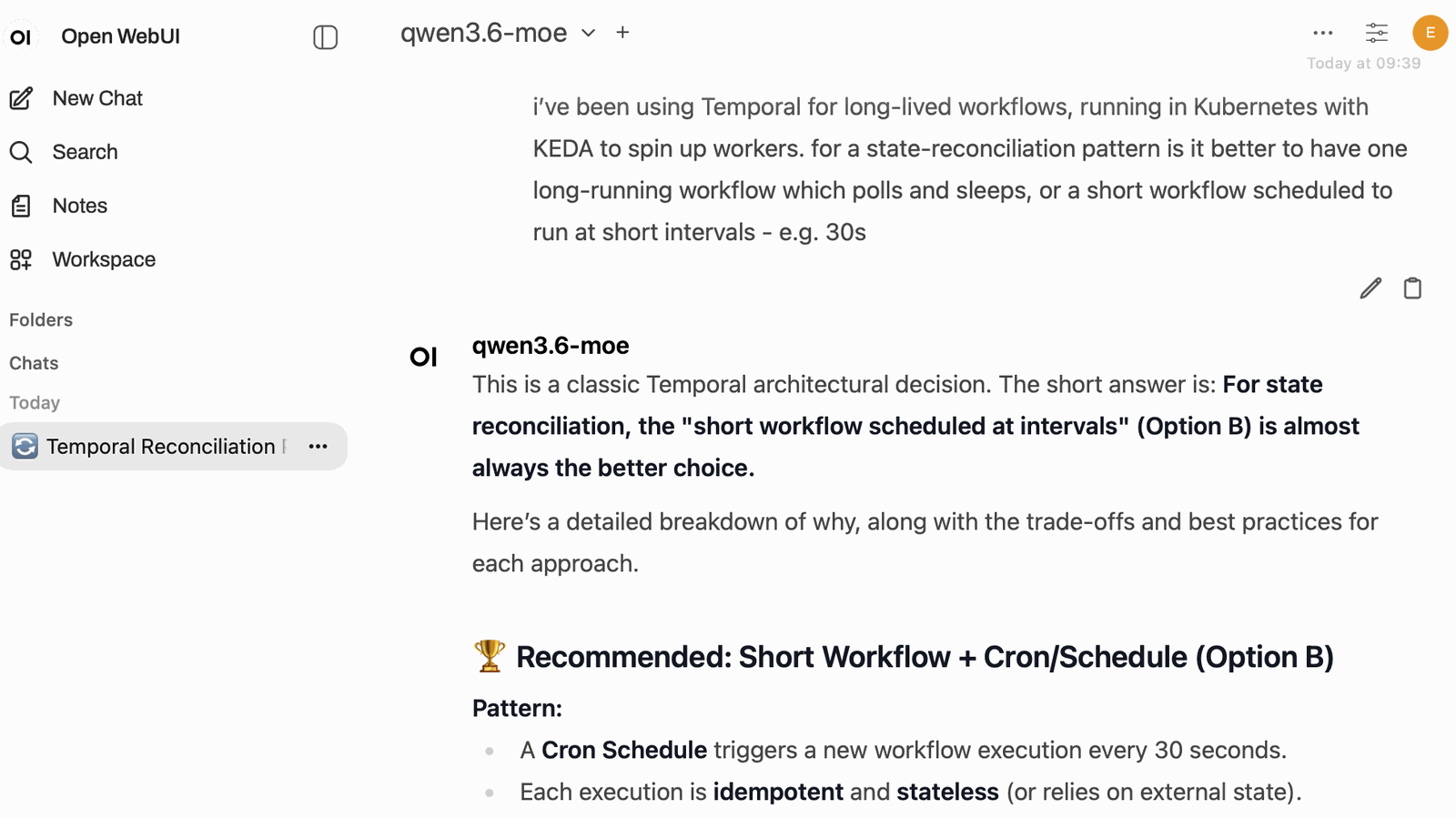
Frontier AI models from Anthropic, OpenAI etc. are closed source: they run in the provider’s cloud compute and you can only use them from the provider’s own platform. Open-weight models are alternatives which you can run yourself on fairly modest hardware. They’re reckoned to be about 9 months behind the frontier models; my preference is Qwen (from Alibaba), and it is a very capable model for AI-first coding - it feels like where Sonnet was ~6-9 months ago.
You don’t need super high-end kit to run a local model, and in the latest VS Code release you can use Copilot directly with your own LLM. No prompts or responses ever leave your network, you’re not charged for any tokens, no presidents can turn off your access, and your data won’t be used to train the next generation.
I started running smaller models on my old M1 Mac Studio last year and hit two problems: 64GB of memory is not enough to run a high-fidelity model, and the speed and number of GPU cores on my box meant responses were too slow for daily use. So I did a bunch of research and finally settled on what I think is the best box for local inference: a newer Mac Studio :)
The Mac Studio M4 Max with 128GB of unified memory is a very performant LLM workstation. It’s Apple Silicon, which is ARM64 architecture - and that runs efficiently. It’s quieter, cooler and cheaper to run than the alternatives, and far simpler to buy than to build something yourself.
Actually you can’t buy it today. I bought mine at the end of 2025, and I had the choice of M4 Max up to 128GB or M3 Ultra up to 512GB. Now the RAM shortage has even hit Apple and 96GB is the most you can buy (and prices are going up). It’s not clear if the M5 Max/Ultra Studios will launch this year, and how much RAM they’ll have if they do.
As I write you can get an M5 Max MacBook Pro with 128GB. If you can get hold of a suitable machine, you can use the scripts and config on my repo to get up and running quickly: sixeyed/local-llms on GitHub.
TL;DR: The M4 Max Mac Studio with 128GB of unified memory is the best local LLM workstation for developers right now. The unified memory lets it load models a dual-GPU PC physically can’t, its memory bandwidth makes inference faster than equivalent boxes, and it runs silently on a very small power draw. I run Qwen3, Ling and Gemma on it with llama.cpp and MLX, and qwen3.6-moe is fast and capable enough for daily coding.
Apple’s unified memory architecture
LLMs are memory hogs. All model weights have to be loaded to memory before you can use them, and the good models are big. A 122-billion parameter model needs around 77GB just to load at a sensible quantization - and that’s before you add in the prompt’s context window, which uses far more memory server-side than you would expect.
Traditional domestic GPU setups don’t scale to these large models. Even a high-end NVIDIA card (like the RTX 4090) only has 24GB of VRAM. You could buy two and wire them together, but now you’re looking at £1,000s in graphics cards alone, plus the practical difficulties of rigging and managing multi-GPU configuration, and you’ve still only got 48GB to play with. You would have to run smaller models, or full-sized models at higher quants (which means lower fidelity and worse performance).
Apple Silicon has a unified memory architecture. The 128GB in my Mac Studio is one pool of memory, shared between the CPU and GPU cores. Metal (Apple’s GPU framework) can use almost all of the system memory. On my M4 Max, very capable coding models can take 100GB+ which still leaves plenty for the OS and everything else. That’s roughly four times what you get from a single high-end NVIDIA card.
The Mac Studio isn’t the only unified-memory box. The Framework Desktop uses the same idea with AMD’s Ryzen AI Max+ 395, and NVIDIA’s DGX Spark does it with the GB10 Grace Blackwell chip - both put 128GB in one pool shared between CPU and GPU. The Spark pairs an Arm CPU with an NVIDIA GPU; the Framework runs an x86 chip with an integrated Radeon GPU. Both are capable machines - but the memory bus on each is much slower than the Mac’s, and for inference that’s the number that counts.
Inference is memory-bound - generating each token means reading the whole active model out of memory. The speed that data moves from memory to the GPU cores is the limiter for how fast your model responds. Apple’s memory bandwidth is about twice the others’:
| Machine | Unified memory (max) | Memory bandwidth | GPU cores (max) | Price |
|---|---|---|---|---|
| Mac Studio (M4 Max) | 128GB LPDDR5x | 546 GB/s | 40 (Apple) | ~£3,800 (Nov ‘25) |
| MacBook Pro (M5 Max) | 128GB LPDDR5x | 614 GB/s | 40 (Apple) | ~£5,100 |
| NVIDIA DGX Spark (GB10) | 128GB LPDDR5x | 273 GB/s | 6,144 (CUDA) | ~£4,600 |
| Framework Desktop (Ryzen AI Max+ 395) | 128GB LPDDR5x | 256 GB/s | 40 (RDNA 3.5 CU) | ~£4,200 |
Don’t read the GPU-core counts as a league table - they’re different units. An Apple GPU core, an AMD compute unit, and an NVIDIA CUDA core aren’t the same thing, so the Spark’s 6,144 “cores” aren’t 150 times the Mac’s 40 - each Apple core packs roughly 128 ALUs of its own.
Those prices are June 2026. They’ve all gone up about £1000 since January. The M5 Max is a laptop, but it’s the only Apple Silicon you can still buy at 128GB - and at 614 GB/s it’s faster than my Studio. The M4 Max Studio price is what I paid in late 2025; maybe it will come back…
They all fit the same big models, but the memory bandwidth should give the Mac boxes the edge. I haven’t spent £10K on the other boxes to run a comparison - but if NVIDIA or Framework want to send me one, I’d be happy to write it up :) It’s reasonable to assume the Studio decodes about twice as fast as the Spark or the Framework would. In inference terms, that means higher tokens per second, and a better user experience.
Inference engines: llama.cpp and MLX, not Ollama
If you’ve dabbled with local models you’ve probably used Ollama. It’s a great on-ramp, super easy to use and lots of models available. But it doesn’t have all the tweaks to configure model performance, and there can be a lag between models being released on Hugging Face and making it through to Ollama.
There are more powerful inference engines which are Mac friendly:
- llama.cpp - runs GGUF models with fine-grained control over context and quantization. A good fit for the Qwen3 family.
- MLX - Apple’s own framework, which runs MLX-format models natively on Apple Silicon. Use for models that are only published as MLX weights, like Ling 2.6 Flash and Gemma 4.
Both serve an OpenAI-compatible API, so every client you might want to use talks to them the same way. I’ve tried Open WebUI, Cline, opencode and VS Code’s chat - they all work fine.
I also did a bunch of performance tuning with Claude. I used Claude Code to run the models and monitor the output logs while I ran a task in a client on a remote machine. Claude made performance recommendations, we tweaked the settings and ran again. Those optimizations are all in the GitHub repo, and the model-start process is in a Python script which has all the flags.
You can start from scratch with these commands. Model weights are pulled on first use, so that will take a few minutes:
# Install the engines (macOS)
brew install llama.cpp
pip3 install --user mlx-lm

# Launch a model - run.py picks the right engine for you
python run.py                       # default: qwen3.6-moe via llama-server

# or try other families:
python run.py --family ling         # ling-2.6-flash via MLX
python run.py --family gemma        # gemma-4-31b via MLX

# Stop whatever's running
python stop.py
I run this just for me, and the parameters are set for a good working context (250K), and a single prompt (no concurrent clients). Only one model runs at a time, so I use a standard port (8083) and then I can switch models without changing client config.
The optimizations in the repo are all tuned for the M4 Max (128GB): the right quantization for each model, context length pushed as far as the memory allows, and batch sizes set for this chip. The scripts detect whatever Mac you’re on and print its capabilities, but the numbers are tuned for this machine.
Usable local coding models
The model landscape moves fast, so treat this as a snapshot (I have a scheduled task in Claude which runs daily to research open-weight models and recommend any new ones). The big shift in the last year is mixture-of-experts (MoE) models, which have huge total parameter counts but only activate a subset of experts per request. So you get the knowledge of a big model with the speed of a small one. That combination is what makes local LLMs genuinely productive on (fairly) modest hardware.
Here’s what I’ve tried - all available in the scripts. I’ve put each model’s SWE-bench Verified score next to it - that’s the “can it fix a real GitHub issue on its own” benchmark. It’s an older benchmark and it’s not perfect but it’s a reasonable proxy for day-to-day coding usefulness:
| Model | Engine | Params (active) | SWE-bench Verified | Best for |
|---|---|---|---|---|
| qwen3.6-moe | llama.cpp | 35B-A3B (MoE) | 73.4% | Fast coding - my default |
| qwen3.6 | llama.cpp | 27B (dense) | 77.2% | General coding, agentic tasks |
| qwen3.5 | llama.cpp | 122B-A10B (MoE) | 72.0% | Large context, broad knowledge |
| qwen3-coder-next | llama.cpp | 80B-A3B (MoE) | 70.6% | Code-specialized |
| ling-2.6-flash | MLX | 104B-A7.4B (MoE) | not published | Fast agentic tasks |
| gemma-4-31b | MLX | 31B (dense) | not published | Cline / agentic coding |
Those are the vendor- and community-reported SWE-bench Verified figures - rough ranking, because the hardware impacts the numbers. But it shows what qwen3.6-moe can do objectively: it lands at 73.4% with just 3 billion active parameters.
The frontier closed models still lead this benchmark - but the gap is quite narrow, except right at the top. Claude Sonnet 4.6 scores 77.9% and GPT-5 74.9% on SWE-bench Verified - only a few points above qwen3.6-moe’s 73.4%. Claude Opus 4.8 is the real coder at 88.6%, so the flagship still has the edge. But those models run in someone else’s datacenter on metered tokens, and this one runs silently on a box under my desk.
The model families worth trying mainly come from three providers:
- Qwen (Alibaba Cloud) - the most capable open-weight coding models I’ve used. The
qwen3.xreleases come in both dense and MoE variants, and run on llama.cpp as GGUF. - Ling (Ant Group’s inclusionAI) - a MoE-first family tuned for fast agentic work. Ling 2.6 Flash ships as MLX weights, so it runs natively on Apple Silicon.
- Gemma (Google DeepMind) - Google’s open-weight models, built from the same research as Gemini. Dense, easy to run, and solid for agentic coding in Cline.
qwen3.6-moe is genuinely usable for planning, debugging and coding. It’s big enough to handle difficult, long-running tasks, and it’s fast enough to feel responsive. It works nicely with my centralized chat interface and it supports tool use and vision.
Connecting your tools
The OpenAI-compatible API makes local models available to most tools. I point clients at the Studio with the base URL as the host and port plus /v1, and the API key can be any non-empty string because the backend inference engines ignore it.
VS Code’s chat supports custom OpenAI-compatible models. Make sure you set your agents to run Local and in the model selector click the cog to add a new model:

Then you drop into the JSON editor and you can set up your local model connection:
[
  {
    "name": "http://192.168.1.101:8083/v1",
    "vendor": "customendpoint",
    "apiKey": "none",
    "apiType": "chat-completions",
    "models": [
      {
        "id": "qwen3.6-moe",
        "name": "qwen3.6-moe",
        "url": "http://192.168.1.101:8083/v1/chat/completions",
        "toolCalling": true,
        "vision": true,
        "maxInputTokens": 250000,
        "maxOutputTokens": 16000
      }
    ]
  }
]
The name and url point at the Studio on my network; toolCalling and vision switch on the features qwen3.6-moe supports, and the token limits match the 250K context the server is tuned for. I also run Open WebUI on my network, and that also connects to Qwen.
Beware thinking-mode
The Qwen3 models can do thinking - generating a chain of reasoning before they answer. It’s usually a good option for one-off questions, but coding agents can get confused. Cline and VS Code’s agent can get tripped up with Qwen3: sometimes it gets stuck thinking. It writes “let me investigate…” and keeps deferring instead of committing to an action, and it’ll keep looping in the client and never make any progress.
My launcher disables thinking by default - it sets --reasoning-budget 0, which makes the model commit straight to output. I haven’t seen any drop in quality on multi-step planning, and the shoegazing think-loop has gone. If you want to experiment with thinking back on, the repo documents how to dial it back up with a capped budget. But for day-to-day agentic coding, off is going to be fine.
The bottom line
The Mac Studio isn’t really sold as an AI machine, but for running large models locally it’s hard to beat. The unified memory lets you load models that are genuinely capable, and the latest MoE models run fast enough for interactive work. The Studio is built to run efficiently and quietly. I have mine on 24x7 and never notice it; if it does make a noise it’s drowned out by the Windows laptops I have running which are doing nothing complicated at all.
A dual-GPU rig will out-pace the Mac on inference for models that fit in 48GB - it has the raw decode speed. But a custom rig will probably cost more to buy, draw ten times the power to run and sound like a jet engine. And it still can’t load the big models. For doing real work with local LLMs, a unified memory architecture is the enabler, and the Mac is the winner for me.
The golden age of cheap AI may be coming to an end, and then the development cycle will need AI assistance running on your own hardware. You’ll use the local model for all the straightforward tasks, and delegate to Claude when you have something really complex to do - maybe Claude Code will evolve to use Opus as the director, and transfer work between Sonnet and local LLM subagents.
FAQ
Can you run really run local coding LLMs on a Mac?
Yes - Apple Silicon Macs are great machines for local inference, thanks to their unified memory architecture. The CPU and GPU share one large memory pool, so the GPU can address much more memory than a separate GPU card. Install llama.cpp (brew install llama.cpp) or MLX (pip3 install mlx-lm), pull a model, and point any OpenAI-compatible client at it.
How much memory do you need to run a local LLM?
It depends on the model. A 7B model runs in around 16GB; mid-size MoE coding models like qwen3.6-moe are comfortable in 64GB; and the largest model I run (a 122B MoE) needs 100GB+ once you include the context window. For serious coding work, 128GB of unified memory leaves you some headroom. The Macs topping out at 96GB would probably need a smaller context window than my 250K.
Is the Mac Studio better than an NVIDIA GPU for AI?
I haven’t done a direct comparison, but the numbers suggest it is. A single RTX 4090 has only 24GB of VRAM, so it can’t load a 77GB model at all, while a 128GB Mac Studio can. A dual-GPU rig will decode faster for models that fit in its VRAM, but it costs more, draws around ten times the power, and still can’t load the big models. For raw speed on small models the GPU wins; for capacity, efficiency and quiet, the Mac wins.
Which local model is best for coding?
I’ve tried a few and I’ve settled on qwen3.6-moe - it scores 73.4% on SWE-bench Verified with just 3 billion active parameters, so it’s fast and genuinely useful for planning, debugging and agentic coding. The Qwen3 family overall is the most capable open-weight option I’ve used.
Should I use Ollama for local models?
Ollama is the easiest on-ramp, but for performance tuning I prefer llama.cpp (for GGUF models) and MLX (for Apple-native MLX weights). They give finer control over context length and quantization, and you get new models sooner than waiting for them to land in Ollama.
Comments